2004 · Handheld console · Sony Computer Entertainment

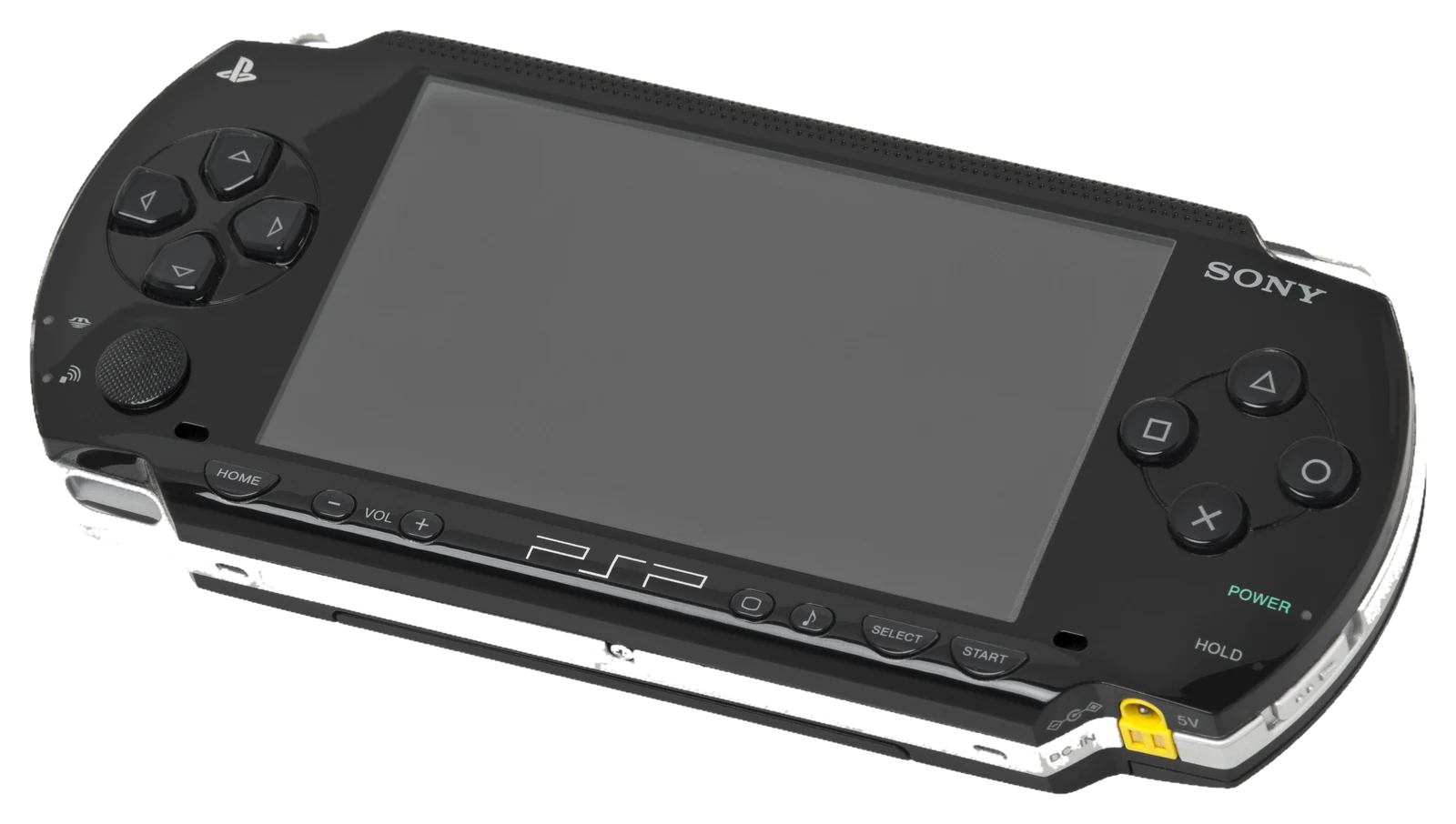
Sony PlayStation Portable

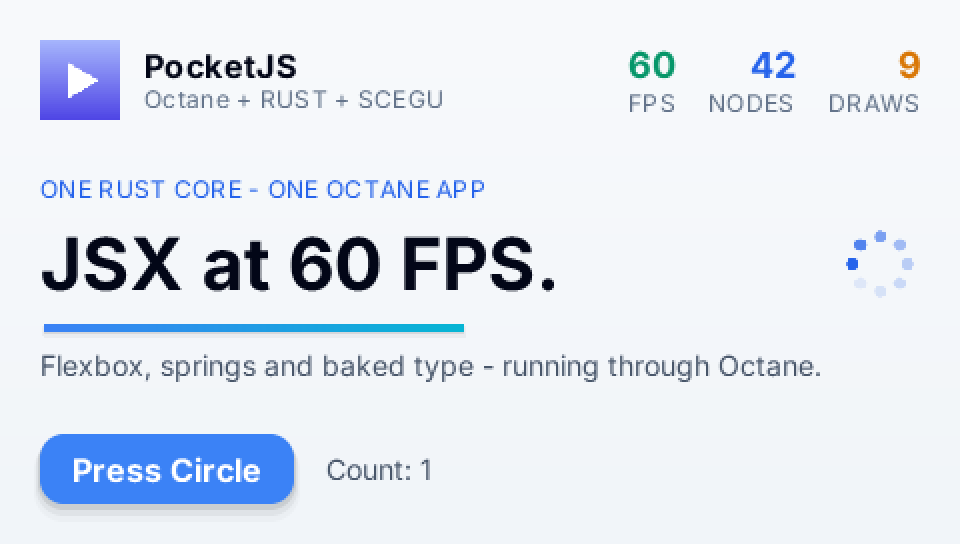
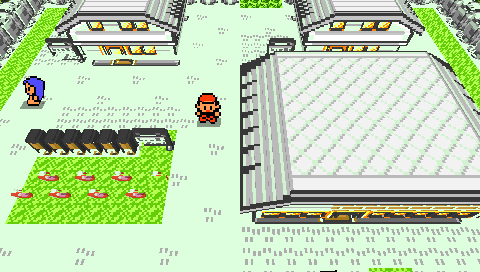
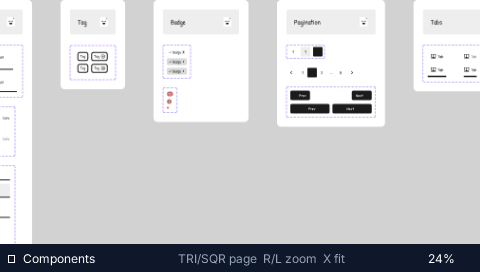
The founding machine. Games, YouTube, Figma and DevTools at a locked 60 fps.

Registered targetGuest · QuickJS + native corehosts/psp/

Sony's first handheld console put a 333 MHz MIPS core, a fixed-function GPU without shaders and 32 MB of RAM behind a 4.3-inch 480×272 widescreen. It shipped in Japan in December 2004 and sold around 80 million units.

PocketJS was built on this machine first: the Rust core, the QuickJS guest, the baked style table and the font atlases all had to fit an 8 MB memory budget here before they went anywhere else. Every later port is measured against what the PSP can do.

Processor
MIPS R4000 · 333 MHz
Memory
32 MB
Display
480 × 272
A piano-black Sony PSP-1000, front three-quarter view
A piano-black Sony PSP-1000, front three-quarter view. Photo: Evan-Amos · Public domain
01

Hardware

curated here · sources below

Compute

CPU
Sony/Toshiba “Allegrex” MIPS R4000-class 32-bit core with VFPU vector unit and a second MIPS “Media Engine” core
Clock
1–333 MHz capped at 222 MHz for games until firmware 3.50
GPU
Graphics Engine (GE), 166 MHz, 2 MB eDRAM fixed-function, no shaders
RAM
32 MB PSP-2000 and later carry 64 MB; PocketJS budgets 8 MB

Display & input

Display
4.3″ TFT LCD, 480 × 272, 16.77 M colours
Input
D-pad, analog nub, △ ○ ✕ □, L/R, Start/Select, Home
Audio
Stereo speakers, 3.5 mm jack

Storage & connectivity

Media
UMD drive, Memory Stick PRO Duo
Connectivity
Wi-Fi 802.11b, USB 2.0, IrDA (PSP-1000)
Battery
1800 mAh (PSP-1000)

Body

Dimensions
170 × 74 × 23 mm
Weight
280 g (PSP-1000) · 189 g (PSP-2000)
Released
12 December 2004 (Japan) · 24 March 2005 (North America)
System software
PSP XMB; homebrew via custom firmware
02

PocketJS on this machine

Guest · QuickJS + native core

What runs

The stock host embeds QuickJS and the PocketJS Rust core in an EBOOT.PBP built with rust-psp. The core lays out the retained tree and emits a DrawList that the host walks through sceGu; text comes from atlases baked at build time; audio is a 4-stream mixer on one 44.1 kHz channel. A pocket.json manifest is admitted against the psp profile before the build runs.

What is proven

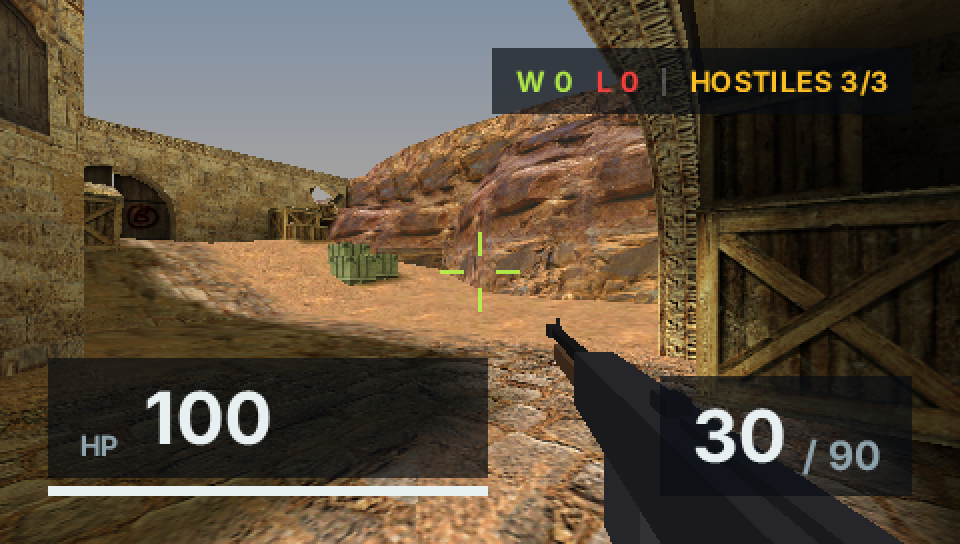
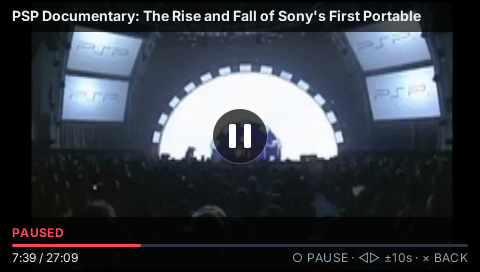
Real-hardware applications (OpenStrike, Pocket Voxel, Pocket Figma, Pocket YouTube, the Cover Flow launcher) plus PPSSPP input journeys and byte-exact frame goldens.

Record

  1. v0.1.0

    Initial public release: Sony PSP (QuickJS + sceGu) is the first host.

  2. OpenStrike ships at a locked 60 fps on real hardware.

  3. v0.5.0

    System software: USB app services, system keyboard, virtual pointer; Pocket YouTube.

  4. v0.7.0

    Cover Flow launcher and whole-guest app switching, verified on hardware.

  5. v0.8.0

    Octane becomes the third framework; deterministic audio ships a PSP hardware channel.

  6. v0.9.3

    The PSP arena stops stranding the memory a QuickJS boot needs.

Target profile · production registrycontracts/spec/platforms.ts
Registry key
psp
Host ABI
1
Platform
psp
Form
takeover
Physical viewport
480 × 272
Logical viewports
480 × 272
Presentations
native · integer-fit
Raster density
Capabilities
  • input.analog.left
  • input.buttons
  • input.cursor
  • audio.pcm
  • text.glyphs.baked

Acquisition reports

04

Example code

upstream source · highlighted at build time
apps/hero/app.tsxtsx · 189 lines · @6c43f49

The hero demo: a Solid component using the public primitives.

// Demo app + the jsx.d.ts typecheck fixture (bunx tsc --noEmit must pass).
// Uses all three public primitives, class literals, a dynamic style object,
// focus + onPress, and a signal in text — the exact surface phase v1 supports.

import { createEffect, createSignal, onMount, Show } from "solid-js";
import {
  Image,
  Text,
  View,
  type NodeMirror,
} from "@pocketjs/framework/components";
import { animate } from "@pocketjs/framework/animation";
import { TICKS_PER_SECOND } from "@pocketjs/framework/clock";
import { createSpriteAnimation } from "@pocketjs/framework/lifecycle";
import { frameworkName } from "@pocketjs/framework/solid";

const SPINNER_FRAME_STEP = 3;
const SPINNER_FRAMES = [
  "spinner-00.svg",
  "spinner-01.svg",
  "spinner-02.svg",
  "spinner-03.svg",
  "spinner-04.svg",
  "spinner-05.svg",
  "spinner-06.svg",
  "spinner-07.svg",
];

function Stat(props: { label: string; value: string; cls: string; largeLayout?: boolean }) {
  return (
    <View class="flex-col items-end">
      <Text class={props.cls}>{props.value}</Text>
      <Text class={props.largeLayout
        ? "text-lg text-slate-500 tracking-wide"
        : "text-xs text-slate-500 tracking-wide"}>{props.label}</Text>
    </View>
  );
}

export interface HeroProps {
  actionLabel?: string;
  deviceLabel?: string;
  headline?: string;
  largeLayout?: boolean;
  onAction?: (count: number) => void;
  presentationHz?: number;
  runtimeLabel?: string;
  spinnerFrameStep?: number;
}

export default function Hero(props: HeroProps = {}) {
  const [count, setCount] = createSignal(0);
  createEffect(() => {
    const completedCount = count();
    if (completedCount > 0) props.onAction?.(completedCount);
  });
  const spinnerSrc = createSpriteAnimation(SPINNER_FRAMES, {
    frameStep: props.spinnerFrameStep ?? SPINNER_FRAME_STEP,
  });
  let underline: NodeMirror | undefined;
  onMount(() => {
    // Underline sweeps in once on mount — native tween, zero steady-state JS.
    if (underline)
      animate(underline, "width", props.largeLayout ? 315 : 210, {
        dur: 700,
        easing: "out",
        delay: 150,
      });
  });
  return (
    <View
      debugName="HeroScreen"
      class={props.largeLayout
        ? "w-full h-full flex-col justify-between p-[30] bg-gradient-to-b from-slate-50 to-slate-100"
        : "w-full h-full flex-col justify-between p-5 bg-gradient-to-b from-slate-50 to-slate-100"}
    >
      <View
        debugName="Header"
        class="flex-row flex-wrap items-center justify-between"
      >
        <View class={props.largeLayout ? "flex-row items-center gap-[18]" : "flex-row items-center gap-3"}>
          <Image class={props.largeLayout
            ? "w-[60] h-[60] rounded-xl shadow"
            : "w-10 h-10 rounded-lg shadow"} src="logo.png" />
          <View class="flex-col">
            <Text class={props.largeLayout
              ? "text-2xl text-slate-950 font-bold tracking-wide"
              : "text-base text-slate-950 font-bold tracking-wide"}>
              PocketJS
            </Text>
            <Text class={props.largeLayout
              ? "text-lg text-slate-500 tracking-wide"
              : "text-xs text-slate-500 tracking-wide"}>
              {frameworkName()} + {props.runtimeLabel ?? "RUST + SCEGU"}
            </Text>
          </View>
        </View>
        <View class={props.largeLayout ? "flex-row gap-6" : "flex-row gap-4"}>
          <Stat
            label="FPS"
            value={String(props.presentationHz ?? TICKS_PER_SECOND)}
            cls={props.largeLayout
              ? "text-2xl text-emerald-600 font-bold"
              : "text-lg text-emerald-600 font-bold"}
            largeLayout={props.largeLayout}
          />
          <Stat
            label="NODES"
            value="42"
            cls={props.largeLayout
              ? "text-2xl text-blue-600 font-bold"
              : "text-lg text-blue-600 font-bold"}
            largeLayout={props.largeLayout}
          />
          <Stat
            label="DRAWS"
            value="9"
            cls={props.largeLayout
              ? "text-2xl text-amber-600 font-bold"
              : "text-lg text-amber-600 font-bold"}
            largeLayout={props.largeLayout}
          />
        </View>
      </View>

      <View class={props.largeLayout ? "flex-col gap-3" : "flex-col gap-2"}>
        <Text class={props.largeLayout
          ? "text-lg text-blue-600 tracking-wide"
          : "text-xs text-blue-600 tracking-wide"}>
          ONE RUST CORE · ONE JSX APP
        </Text>
        <View class="flex-row flex-wrap items-center justify-between">
          <Text class={props.largeLayout
            ? "text-5xl text-slate-950 font-bold"
            : "text-4xl text-slate-950 font-bold"}>
            {props.headline ?? `JSX at ${TICKS_PER_SECOND} FPS.`}
          </Text>
          <Image class={props.largeLayout ? "w-[60] h-[60]" : "w-10 h-10"} src={spinnerSrc()} />
        </View>
        <View
          ref={underline}
          class={props.largeLayout
            ? "h-[6] w-0 rounded-full shadow bg-gradient-to-r from-blue-500 to-cyan-500"
            : "h-1 w-0 rounded-full shadow bg-gradient-to-r from-blue-500 to-cyan-500"}
          style={{ translateX: count() * (props.largeLayout ? 3 : 2) }}
        />
        <View
          debugName="Description"
          class="flex-row flex-wrap gap-1"
          style={{ gap: props.largeLayout ? 6 : 4 }}
        >
          <Text class={props.largeLayout ? "text-xl text-slate-600" : "text-sm text-slate-600"}>
            Flexbox, springs and baked type —
          </Text>
          <Text class={props.largeLayout ? "text-xl text-slate-600" : "text-sm text-slate-600"}>
            {props.deviceLabel ?? "running on a 2005 handheld."}
          </Text>
        </View>
      </View>

      <View
        class="flex-row flex-wrap items-center gap-4"
        style={{ gap: props.largeLayout ? 24 : 16 }}
      >
        <View
          class={props.largeLayout
            ? "px-6 py-3 rounded-[18px] shadow-md bg-blue-600 border-blue-500 focus:bg-blue-500 active:bg-blue-700 transition-colors duration-150"
            : "px-4 py-2 rounded-xl shadow-md bg-blue-600 border-blue-500 focus:bg-blue-500 active:bg-blue-700 transition-colors duration-150"}
          focusable
          onPress={() => setCount(count() + 1)}
        >
          <Text class={props.largeLayout
            ? "text-2xl text-white font-bold"
            : "text-base text-white font-bold"}>
            {props.actionLabel ?? "Press Circle"}
          </Text>
        </View>
        <Text class={props.largeLayout ? "text-xl text-slate-600" : "text-sm text-slate-600"}>
          Count: {count()}
        </Text>
        <Show when={count() > 3}>
          <Text class={props.largeLayout ? "text-xl text-emerald-600" : "text-sm text-emerald-600"}>
            Reactive on real hardware.
          </Text>
        </Show>
      </View>
    </View>
  );
}
05

Bring-up guide

upstream documents · rendered verbatim

Toolchain, build, deploy and acceptance are owned by pocket-stack/pocketjs. The documents below are rendered from the pinned checkout without edits; relative links point back into the repository at the same revision.

@pocketjs/cli

2 min read · 417 words

pocket doctor / setup / build / hw — the pinned Rust + PSP toolchain.

rendered verbatim fromtools/cli/README.md@ 6c43f49raw ↗

The PocketJS toolchain CLI — doctor/setup for the bun + Rust + PSP toolchain (flutter-doctor style), manifest-first app scaffolding, build/run passthrough for PSP and PS Vita, an isolated Nokia E7 / Symbian development toolchain, and an Apple iOS flow that stages guests into a NativeScript shell and launches them on the simulator.

npm install -g @pocketjs/cli

pocket doctor            # diagnose Bun / pinned Rust + PSP toolchain
pocket setup             # run PocketJS's pinned, idempotent bootstrap
pocket create my-app     # scaffold apps/my-app with pocket.json v2
pocket check --target psp --manifest apps/my-app/pocket.json
pocket compile --target psp --manifest apps/my-app/pocket.json
pocket build --target psp --manifest apps/my-app/pocket.json -- --release
pocket build --target vita --manifest apps/my-app/pocket.json -- --release
pocket play vita hero    # build, install and launch a stock demo in Vita3K
pocket dev my-app-main   # build + serve in the browser
pocket psp my-app        # build the PSP EBOOT
pocket vita my-app       # build the PS Vita VPK
pocket symbian doctor --device
pocket symbian doctor --coda-usb
pocket symbian setup --yes
pocket symbian build probe
pocket symbian deploy dist/symbian/pocketjs-e7-probe.sis
pocket symbian coda usb
pocket symbian coda usb launch <executable.exe>
pocket ios doctor
pocket ios setup
pocket ios play nsengine     # NativeScript shell on the arm64 iOS simulator
pocket play ios nsengine     # the same flow through the play front door
pocket hw my-app         # build + run on a real PSP over PSPLINK
pocket psplink           # interactive multi-app switcher on a real PSP
pocket devtools my-app   # DevTools panel + USB debug bridge, one command
pocket tape replay     # record / replay / inspect input tapes headlessly

Commands run inside a PocketJS checkout (the CLI finds it by walking up from the current directory):

git clone https://github.com/pocket-stack/pocketjs
cd pocketjs && bun install
pocket doctor

check, compile, and build delegate to PocketJS's canonical manifest resolver. pocket.json owns the framework, entry, output, viewport and API requirements; the target backend consumes the resulting build plan. Arguments after -- go to the selected PSP or Vita backend. The low-level dev, psp, vita, hw, psplink, devtools, and tape commands remain available for framework demos and host development.

Only Node ≥ 18 is required for the CLI itself; everything it diagnoses or installs is for building PocketJS apps. See the repository and pocketjs.dev for the framework docs.

pocket setup installs the exact toolchain described by the CLI's bundled psp-toolchain.json into the shared pocket-stack cache. PSPLINK is diagnosed as an optional real-hardware hot-reload tool; it is not required to build a PSP EBOOT.