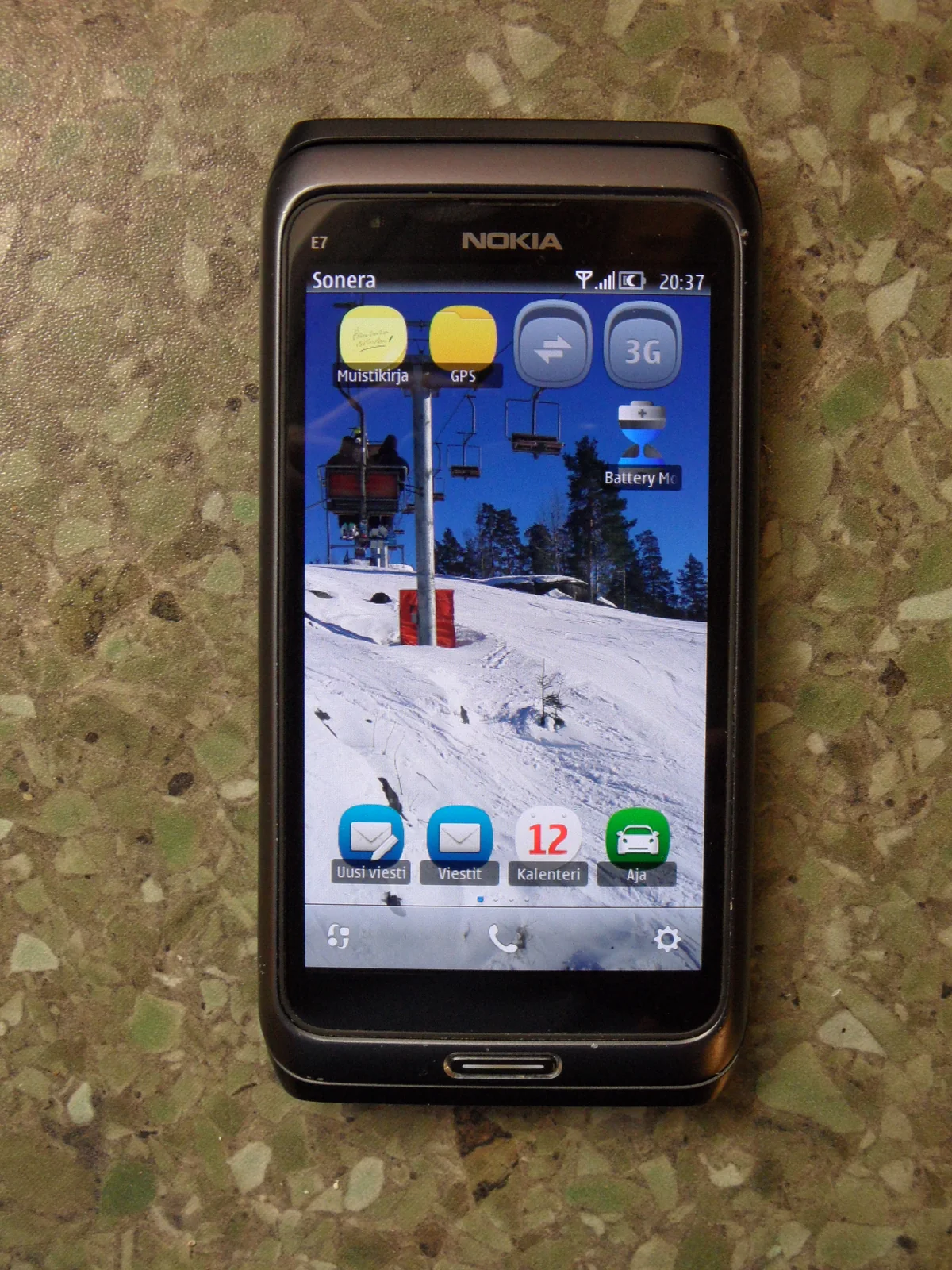
PocketJS includes a pinned, repeatable command-line bootstrap for building standard Symbian Qt applications and an experimental PocketJS host for a Nokia E7 (RM-626). The probe exercises the compiler, Qt ABI, E32 executable, resource registration, SIS packaging, and signing. The private runtime additionally links the PocketJS Rust core and pinned QuickJS, embeds a compiled application and its .pak, and exposes the host operations needed to draw and accept button and native-resolution touch input. The separate MTP command proves byte delivery to the phone; installation and launch remain device-side confirmations.
This workflow does not flash or modify firmware. A CFW may relax installation policy on the phone, but applications should still use the smallest possible capability set. The runtime uses a private symbian-e7-dev build profile; it does not register Symbian in the production POCKET_TARGETS registry.
What gets installed
pocket symbian setup --yes downloads five pinned, SHA-256-verified inputs into the shared Pocket Stack cache:
- Belle SDK for Qt SDK 1.2.1 (
SymbianSR1Qt474) - GCCE 4.6.3 for Linux/i686
- Qt 4.7.4 source, used to build a native Linux
qmake - GnuPoc's native EKA2 resource, executable, and SIS tools
pocket-stack/quickjs-rsat revision0fc946fb670c0c29bc0135f510bcb0f595415a61(QuickJS2026-06-04)
Setup also uses rustup to install nightly-2026-07-02 with the rust-src component. That toolchain cross-compiles the no-std PocketJS core static library for the ARMv6 Symbian EABI.
The build runs in an isolated linux/amd64 container because the historical GCCE binaries are 32-bit Intel Linux executables. The SDK and generated signing identity live in separate named volumes, so a toolchain-version update does not silently replace the signer. The repository is mounted read-only, only dist/symbian is writable, and USB is never passed into the container. MTP deployment remains a separate macOS host operation.
The historical SDK inputs are development dependencies and are not redistributed by this repository. Review and comply with their original terms.
One-time setup
On macOS, install the host prerequisites:
brew install libmtp libusb pkgconf
# Install rustup, if it is not already available, then verify:
rustup --version
# Install OrbStack or Docker Desktop, then verify:
docker version
Build and inspect the toolchain:
pocket symbian setup --yes
pocket symbian doctor
The setup is idempotent. Re-running it verifies every critical tool hash and executes a fresh GCCE/E32/SIS/signing smoke build before reusing the pinned downloads, container image, and toolchain generation.
The default cache is:
${POCKET_STACK_CACHE_DIR:-${XDG_CACHE_HOME:-$HOME/.cache}/pocket-stack}/symbianPOCKETJS_SYMBIAN_DOWNLOADS can point at a pre-populated directory containing the exact manifest assets.
The development certificate and private key live in pocketjs-symbian-signing-v1. Setup migrates an earlier PocketJS E7 signer but never silently rotates a valid identity. doctor prints its SHA-256 fingerprint. Losing that volume means a replacement certificate cannot upgrade an installed package with the same UID, so keep an offline, access-controlled backup:
docker run --rm --network=none \
  --mount type=volume,src=pocketjs-symbian-signing-v1,dst=/signing,readonly \
  --mount type=bind,src="$PWD",dst=/backup \
  --entrypoint tar pocketjs-symbian-toolchain:sr1-qt474-v1 \
  -czf /backup/pocketjs-symbian-signing-v1.tgz -C /signing .
chmod 600 pocketjs-symbian-signing-v1.tgz
Treat that archive as a private signing credential. Docker volume pruning does not preserve it.
Build and stage a physical-device probe
Keep the E7 in Nokia Suite / Ovi mode, then run:
pocket symbian doctor --device
pocket symbian build probe
pocket symbian deploy dist/symbian/pocketjs-e7-probe.sis
The deploy command:
- discovers the current top-level
Mass memory/Installsobject ID; - uploads the SIS exactly once;
- reads the new object back by its returned MTP object ID; and
- compares the local and device SHA-256 values.
It deliberately does not report the app as installed. On the phone, open:
File manager > Mass memory > Installs > pocketjs-e7-probe.sisAccept the self-signed development warning and launch PocketJS E7 Probe. The probe requires CAPABILITY NONE and displays a full-screen Qt status page. If installation policy blocks it, check:
Application manager > Installation settings > Software installation > AllDo not disable certificate checks globally unless the specific CFW workflow requires that choice and its security consequences are understood.
Build and stage a PocketJS application
The app builder resolves the manifest against the private symbian-e7-dev profile, compiles the PocketJS JavaScript and .pak, builds the Rust core, links the Qt/QuickJS host, and signs one SIS:
bun tools/symbian.ts build app \
  --manifest apps/hero/pocket.json \
  --sis-version 1.0.0
It writes both the installable package and a build receipt:
dist/symbian/hero-main.sis
dist/symbian/hero-main.receipt.json
Every manifest gets a stable private-range UID derived from its Pocket app id, a collision-resistant executable name, its own application-menu caption, and output-specific SIS/receipt filenames. Multiple PocketJS apps can therefore be installed side by side instead of replacing one shared runtime package. The receipt records that identity, the package version, pinned QuickJS revision, and SHA-256 hashes for the JavaScript, .pak, resolved plan, Rust core, and optional launcher catalog. Receipt schema 3 also carries a data array of {path, bytes, sha256} entries for custom-core mass-storage files. It also records the deterministic GCCE data base: the historical 4 MiB baseline plus the raw embedded JS/pak/catalog byte count, rounded to 1 MiB. This keeps large DeepZoom packs and multi-app catalogs above the read-only qrc segment without weakening the linker's overlap check. Stage the SIS over the same readback-verified USB/MTP path:
bun tools/symbian.ts doctor --device --coda-usb
bun tools/symbian.ts deploy dist/symbian/hero-main.sis
Install it from File manager > Mass memory > Installs, then launch the manifest's title. Symbian package upgrades must use a version greater than the version already installed on the phone. After installing 1.0.0, for example, pass --sis-version 1.0.1 for the next build rather than reusing 1.0.0.
External Pocket projects use the same authority without copying the toolchain:
bun tools/symbian.ts build app \
  --manifest /path/to/project/pocket.json \
  --project-root /path/to/project \
  --outdir /path/to/project/dist/symbian
Applications that need an app-specific native surface can supply a prebuilt archive through --core-library. The archive must implement the ordinary PocketJS ui_* ABI; it may also export the versioned pocketjs_symbian_extension_v1 table from pocketjs_symbian_extension.h. The table adds synchronous boot, fixed-step input, post-guest command draining, resize, render, and shutdown callbacks without copying or forking the Qt/QuickJS host:
bun tools/symbian.ts build app \
  --manifest /path/to/project/pocket.json \
  --project-root /path/to/project \
  --core-library /path/to/libapplication_symbian_core.a
An application-specific core can package a non-empty external data tree in the same SIS by adding --mass-storage-data-root:
bun tools/symbian.ts build app \
  --manifest /path/to/project/pocket.json \
  --project-root /path/to/project \
  --core-library /path/to/libapplication_symbian_core.a \
  --mass-storage-data-root /path/to/native-data
This option is restricted to --core-library; the stock core and launcher catalog cannot use it. The source must be a real directory containing only regular files. Symlinks, special files, empty trees, unsafe relative paths, case-insensitive path collisions, and a source that overlaps the build payload are rejected. Portable path components use ASCII letters, digits, spaces, periods, underscores, and hyphens, and may not begin or end with a period or space.
The host copies the tree into the locked payload and writes a deterministic manifest containing only relative paths, byte counts, and SHA-256 digests. The offline container revalidates the manifest, exact file set, and every file's byte count and digest before packaging. Each file is installed to E:\private\<application UID without 0x>\data\<relative path>. These bytes are not embedded in the Qt resource, exposed to QuickJS, or counted in the GCCE read-only data-base calculation; the custom native core owns how it opens and interprets them. The receipt's data array is the authoritative record of what the SIS carried.
The stock core's provider returns null, so it retains the exact 2D runtime and requests no depth buffer. A custom core disables that default Cargo feature and exports the same symbol with a callback table. This explicit null-provider shape is intentional: Symbian's historical E32 conversion tools cannot safely consume ELF weak relocations. An extension can request a depth attachment, render its scene first, and let ui_gl_render_over composite the retained PocketJS HUD without clearing the color buffer. The PAK bytes stay owned by the host and may be borrowed only until the matching shutdown call; the JS guest receives a separate writable ArrayBuffer, so script code cannot mutate native borrowed storage. Shutdown reports whether the owning GL context is current, allowing the extension to delete live resources normally or abandon stale handles after context loss. Application-specific cores are intentionally single-app only and cannot be combined with a launcher catalog because their process-wide provider has no per-guest opt-out. The selected archive is copied inside the serialized build transaction and its exact bytes remain covered by the receipt's sha256.core. The pinned QuickJS archive also includes its official static-functions.c wrappers, so Rust extensions can call the inline value helpers through stable C symbols without carrying a second QuickJS build.
Rust application cores should import the matching table, flags, and native-key bits from pocketjs_symbian_core::extension; that module is the Rust ABI authority paired with the public C header.
The experimental host has these runtime semantics:
- PocketJS uses the full native Qt window as its logical viewport:
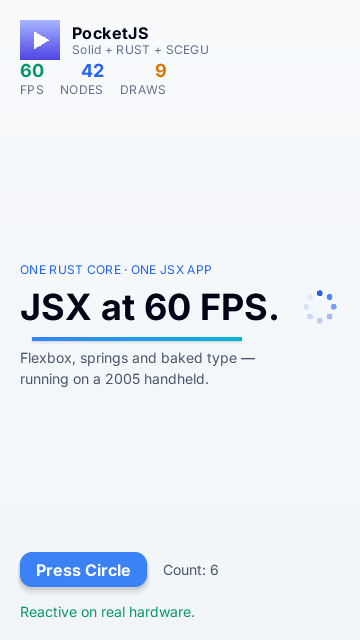
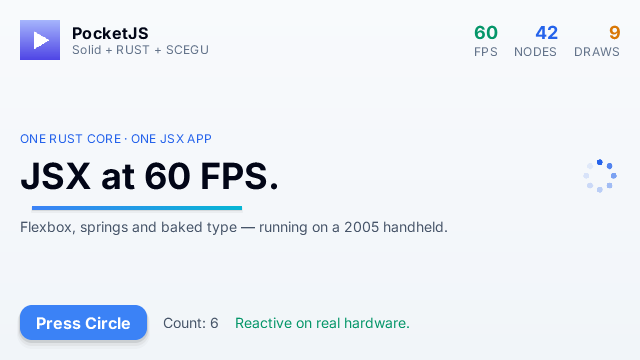
640x360in landscape and360x640in portrait. There is no PSP-shaped480x272surface, scaling, or black letterbox margin on the E7. - Qt automatic orientation delivers window resize events. The host resizes the Rust core first, then calls the framework's live-viewport hook. Solid and Vue Vapor update their app and overlay roots in place, so application state, focus ownership, and timers survive rotation rather than being remounted.
- Applications targeting the E7 must declare a compatible dynamic viewport. Responsive rows should use wrapping or other flexible layout constraints; the Hero example keeps its PSP/Vita fixed viewport and adds a
360x360–640x640dynamic variant with a640x360default. - The default host calls the JavaScript frame at 30 Hz and advances the PocketJS core with
60 / POCKETJS_FRAME_RATEfixed ticks per frame (two at the default rate). Builds reject non-positive rates and rates that do not divide the core's fixed 60 Hz clock exactly. - Arrow keys map to the four directions, the navigation center/Select key and keyboard Enter to
CIRCLE, Escape toCROSS, Space toSTART, Q/E to the left/right triggers, and T/S toTRIANGLE/SQUARE. - Native extensions additionally receive an independent held-key bitset: W/A/S/D move, arrows look, E fires, Space jumps, R reloads, and Shift walks. This channel does not change the portable PocketJS button mask seen by the guest.
- Touch frame v2 uses tagged 10-bit coordinates for the E7's full 640-pixel axis while retaining the original untagged 9-bit wire for PSP/Vita-era hosts.
symbian-e7-devadvertisesinput.touch; the framework exposes the same immutable per-frame contact snapshots on both encodings.
Build the E7 Pocket Launcher
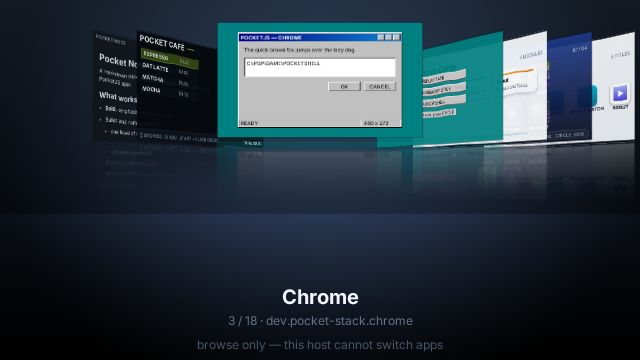
The Launcher SIS contains target-thinned .pocket packages and keeps exactly one guest realm/core alive at a time. Home or Backspace summons the launcher; choosing a card destroys the current guest and cold-boots the next package. The built-in catalog admits only manifests with a genuine live E7 viewport. Additional external projects can be included explicitly without adding their machine-specific paths to committed launcher sources:
bun tools/launcher.ts build --target symbian \
  --include-manifest /path/to/another-app/pocket.json \
  --include-manifest /path/to/pocket-figma/pocket.json
The tool locates each external project root from its declared entry, builds and validates the exact .pocket packages, derives the launcher's E7-only dynamic manifest without changing its PSP/Vita contract, records a 16-byte-aligned catalog, and produces:
dist/launcher/symbian/launcher-main.sis
dist/launcher/symbian/launcher-main.receipt.json
For physical acceptance, launch the app in landscape, change some visible state, then close/open the keyboard or rotate the phone. The UI should fill and reflow at 360x640, preserve that state, and return to 640x360 without a restart, red error screen, stale strip, or black margin.
PocketJS E7 Runtime version 1.1.1 passed the original manual landscape/portrait launch and live-relayout check on an RM-626.
Optional CODA device agent
Qt SDK 1.2.1 shipped Public-CODA-1.0.6-for-S60v5-Anna-Belle-vFuture.sis. For Belle devices it selects CODA 4.0.23. If that original SIS has been obtained from the historical Qt SDK, it can use the same verified staging path:
SHA-256 db1a0b4208ab90a8c08f62e73aada2f4dbfaa7cea60557bf4fe7d89e0b3cc333pocket symbian deploy /absolute/path/to/Public-CODA-1.0.6-for-S60v5-Anna-Belle-vFuture.sisInstall it manually and open RnD Tools. USB is the preferred path on this macOS workflow: keep the phone in Nokia Suite mode, select USB in CODA, and run:
pocket symbian coda usb
# Or include it in the complete device check:
pocket symbian doctor --device --coda-usb
# Launch an installed app without touching the phone (read the exact name
# from that app's *.receipt.json):
pocket symbian coda usb launch PocketJsLauncherMainECEF4AC6.exe
The host opens only the exact Nokia E7 Suite-mode VID/PID and claims CODA's control/data interfaces 3 and 4 directly through libusb. It sends the historical CODA serial ping followed by the TCF Locator handshake, without querying a serial number or IMEI. This avoids relying on the old Nokia USB driver binding that modern macOS no longer provides. A successful check reports the agent version, for example 4.0.23:app.
coda usb launch <executable.exe> waits for the device's Locator service list, requires the Processes service, and sends CODA's non-debug-controlled Processes.start command for that exact independently packaged executable. Success includes the CODA process context, for example CODA process: p2382. The command never guesses which app to start and never terminates an existing process; close the app first if CODA reports that it is already running.
This is a repeatable remote-launch path for device testing, not yet a source-level debugger. CODA also exposes run control, logging, memory, registers, and breakpoints, but PocketJS does not yet ship the CODA-to-GDB adapter, a Symbian GDB, or the matching native symbol artifact. QuickJS source-level breakpoints require a separate PocketJS DevTools transport.
WLAN remains an alternative. Connect the phone and host to the same network, select WLAN in CODA, and use the IP and port shown on the phone (the historical Qt Creator default is 65029). Belle can tear down an idle WLAN bearer, so USB is more reliable for a long development session.
CODA's historical Nokia certificate is expired and the package contains protected capabilities. Its signer is valid from 2011-10-21 through 2016-01-02; do not re-sign it with the PocketJS development key. If the phone reports Certificate expired, disconnect it from networks, disable automatic time, temporarily set the date to 2015-06-01, install the original SIS, and restore the correct date immediately. A CFW can still block that path according to its install-server policy.
PocketJS port boundary
The toolchain now implements the GCCE-compatible Rust core, QuickJS execution and Promise-job draining, the base HostOps surface, embedded compiled JavaScript and .pak resources, fixed-step presentation, live native-viewport relayout, buttons, native touch, independent app identities, and cold multi-package switching. The app build and MTP readback checks make both the native package and delivery substrate repeatable. A signed SIS is time-dependent and therefore is not expected to be byte-for-byte reproducible between builds.
Those implementation milestones do not make Symbian a production PocketJS target. Installation, launch, visible output, and live landscape/portrait relayout are confirmed on one RM-626, but that single manual check is not repeatable golden validation. The CODA USB command verifies the transport and TCF Locator session, while MTP remains the implemented file-delivery path. symbian-e7-dev stays private until the host passes a full physical-device acceptance suite and repeatable visible-output/button-input golden tests. Touch is specifically outside the published contract during that period.
Device and privacy boundaries
The device doctor uses MTP discovery only. The separate AT investigation used only read-only model and firmware commands; the toolchain never queries an IMEI or serial number. Logs redact 14–16 digit identifiers and modem device paths. The tested device was an RM-626 running firmware 111.040.1514 (Symbian Belle Refresh), whose ROM Qt 4.8 remains compatible with this Qt 4.7.4 application build.