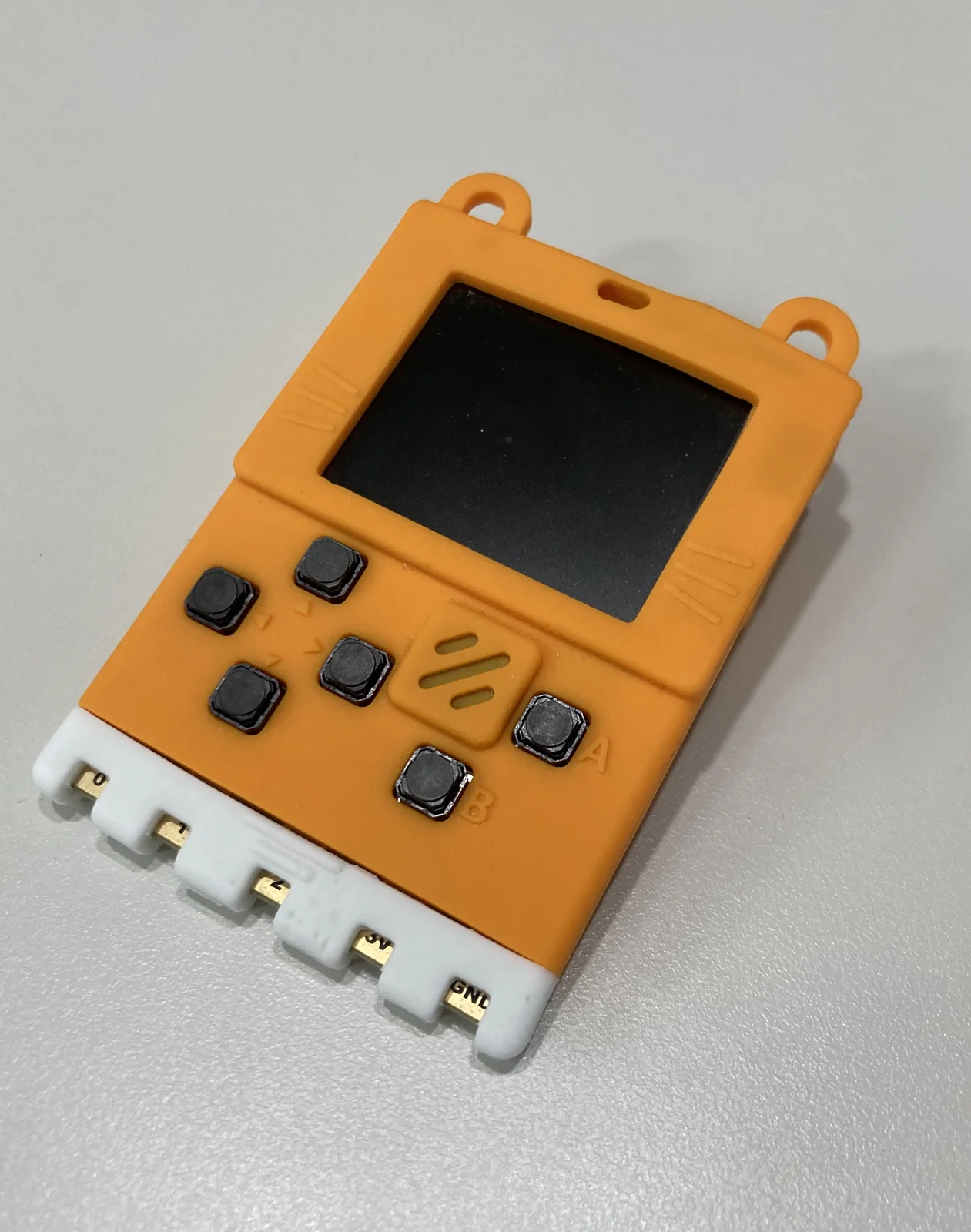
This is the hardware half of Pocket Vapor's fourth AOT target. The input is the same real Vue component used by the console builds: vapor/examples/todo/todo.tsx, with ref, computed, JSX and keymaps. Pocket Vapor compiles it to gen_app.c; this directory supplies the ESP-IDF frame loop, fixed-memory Pocket runtime, RGB565 cell raster, button input and UART verification transport. No JavaScript engine runs on the device.
The current and only board profile is the Xueersi/KittenBot ESP32 MeowBit. It uses an ESP32-D0WD and a 160×128 ST7735 panel. The logical Pocket screen is 20×18; each character is rasterized into an 8×7 RGB565 cell, leaving one physical row above and below the 160×126 content area.
Board profiles are data, not code: pins, panel and pad coverage live in vapor/boards/meowbit.json, validated and turned into compile definitions by vapor/compiler/boards.ts. The build and verify commands take --board <name> (default meowbit). See vapor/BOARDS.md for the design. The tables below describe the MeowBit values.
Board profile
| function | GPIO | electrical behavior |
|---|---|---|
| TFT SCLK | 18 | SPI clock |
| TFT MOSI | 23 | SPI data |
| SD MISO | 19 | LCD runtime does not use this pin |
| TFT CS | 5 | active low |
| TFT DC | 4 | command/data select |
| Up | 2 | active low |
| Down | 13 | active low |
| Left | 27 | active low |
| Right | 35 | active low, external pull-up |
| A | 34 | active low, external pull-up |
| B | 12 | active low |
GPIO34 and GPIO35 do not have usable internal pull-ups on the ESP32. The MeowBit board supplies external pull-ups, so the firmware treats those inputs as active-low without enabling an internal pull.
The panel is reset with the ST7735 SWRESET command. The LCD SPI bus is write-only in this runtime, so GPIO19 remains unused and the optional hardware-reset pin is set to -1.
The board profile and ST7735 sequence are grounded in the device-specific xueersi-idf implementation; the independent Reversing-Meowbit-v1 probes corroborate the display and six button pins.
All physical actions dispatch once on release. The six buttons map directly to their Pocket equivalents, while three release-latched pairs expose actions for which the board has no dedicated button:
| physical input | Pocket button |
|---|---|
| Up / Down / Left / Right / A / B | same named button |
| A+B | Start |
| Left+Right | Select |
| Up+Down | R |
The chord is emitted once when the pair is released; its two constituent button presses are suppressed. This keeps editing and list actions deterministic.
Build, flash and verify
Use ESP-IDF v6.0.2 and bun. The builder uses IDF_PATH and IDF_TOOLS_PATH when set; otherwise it checks the cached macOS toolchain layout used by this repository and the standard ~/esp/esp-idf plus ~/.espressif layout:
export IDF_PATH="$HOME/esp/esp-idf"       # omit when auto-discovery works
export IDF_TOOLS_PATH="$HOME/.espressif"  # omit when auto-discovery works

bun run vapor:esp32
# dist/vapor/todo.esp32.bin
# dist/vapor/gen-esp32/
Flashing replaces the board's factory application. Before the first flash, make a full 4 MiB backup and keep its checksum next to it:
PORT=/dev/cu.usbmodem2101
uvx --from esptool esptool --chip esp32 --port "$PORT" \
  read-flash 0x0 0x400000 meowbit-factory-4mb.bin
shasum -a 256 meowbit-factory-4mb.bin \
  > meowbit-factory-4mb.bin.sha256
Keep that file outside dist/; generated output can be removed at any time. To restore the original image, verify the checksum first, then write the whole backup at offset zero:
shasum -a 256 -c meowbit-factory-4mb.bin.sha256
uvx --from esptool esptool --chip esp32 --port "$PORT" \
  write-flash 0x0 meowbit-factory-4mb.bin
Do not restore a backup captured from a different board: it may contain device-specific factory data.
Both commands below write the connected board. In particular, verify builds and flashes before it runs parity:
bun run vapor:esp32:flash
bun run vapor:esp32:verify
dist/vapor/gen-esp32 is the generated ESP-IDF project. dist/vapor/todo.esp32.bin is the application-only image; if it is written manually, its required flash offset is 0x10000, never zero. The normal flash command is preferred: it uses ESP-IDF's segmented operation to write the bootloader at 0x1000, partition table at 0x8000, and app at 0x10000 without filling the NVS/PHY gaps with 0xff. The verifier repeats that build/flash, then talks to the running firmware over USB serial.
To check an already-flashed image without writing flash, opt in explicitly:
bun vapor/scripts/esp32.ts verify --no-flash --port /dev/cu.usbmodem2101The source-derived build ID in PVREADY must match, so --no-flash fails instead of silently accepting an older firmware. If more than one USB serial device is attached, pass --port /dev/cu.usbmodem....
UART receipt protocol
The verification protocol is line-oriented at 115200 baud:
Hreturns the firmware and hardware receipt.Rresets the Todo app in-process.P <0..9>dispatches one Pocket button.Dreturns the 20×18 logical character and palette grids as hex.
bun run vapor:esp32:verify boots the real Vue build as the oracle, resets the device, replays the same full button trajectory over UART, and requests a receipt after every press. It compares both character and palette values for all 360 logical cells at every step. This proves generated-app behavior and the LCD commit path's logical-grid parity; it does not read pixels back from the panel or electrically press the GPIO buttons. Panel appearance and physical button/chord behavior remain manual hardware checks. Merely completing a flash is not equivalent to passing the verifier.